
CV photo for your résumé and LinkedIn, from your own phone photo
Upload a photo and pick a studio background. We cut you out, crop it to 4:5 for your CV and 1:1 for LinkedIn and gently correct the light; your face stays as it is.
- 1Photo
- 2
- 3
Upload a photo of yourself
JPG, PNG, WebP or HEIC, up to 15 MB. Your photo is sent to our server to make the preview and is not kept unless you pay.
Choose the background
Light grey


Portrait for your CV and LinkedIn
Upload a photo showing your whole head and shoulders. We replace the background, crop it to 4:5 and 1:1 and gently adjust the light; your face is not changed.
CV photo
€7.99
- Portrait without watermark with the background you chose
- Portrait 4:5 (1200 × 1500 px) for your CV
- Square 1:1 (1200 × 1200 px) for LinkedIn and job portals
- Download for 24 hours and a copy by email
Full refund within 14 days if you don’t like the result, no reason needed
Upload a photo of yourselfYou see the result before you pay. You only pay if you want to download it.
- Secure payment with Dodo Payments. One payment, no subscription.
- Questions before or after paying: support@approvavisa.com
Paso 1: Take a photo with your phoneEye level, facing a window, down to your chest.
Paso 2: Pick the backgroundFive studio tones; the preview updates.
Paso 3: Download for CV and LinkedIn4:5 and 1:1 without watermark, €7.99.
You don’t need a studio for a CV photo: upload a phone photo, choose one of five backgrounds and download it as a 4:5 portrait for your CV and a 1:1 square for LinkedIn. In Spain a photo on the CV is optional but common. The preview is free; the files cost €7.99, with a 14-day money-back guarantee.
From phone photo to CV photo
Three phone photos taken at home. Left the original, right the result with the background shown.


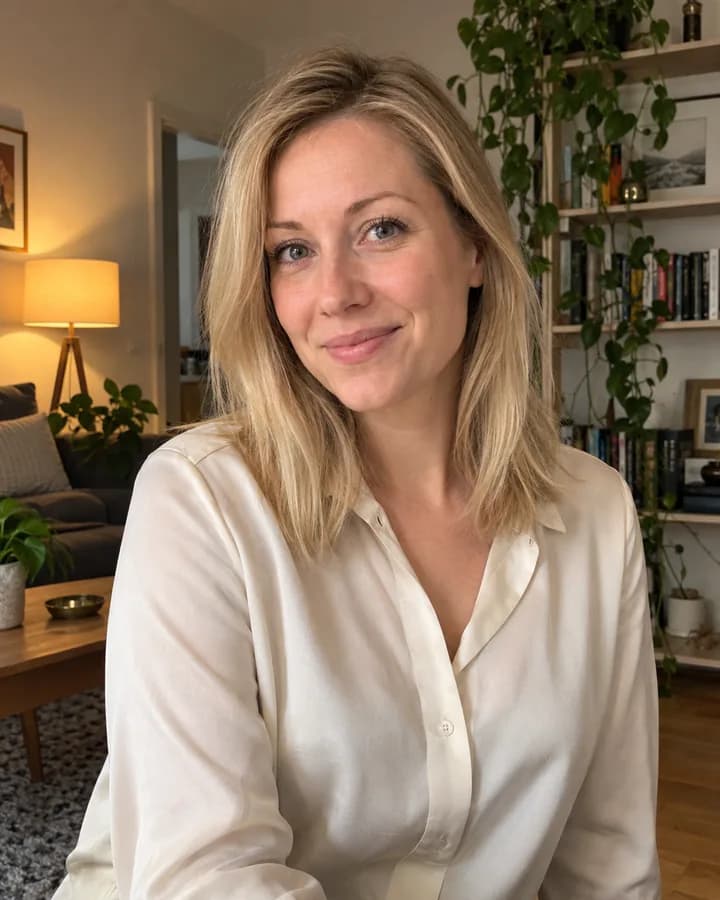
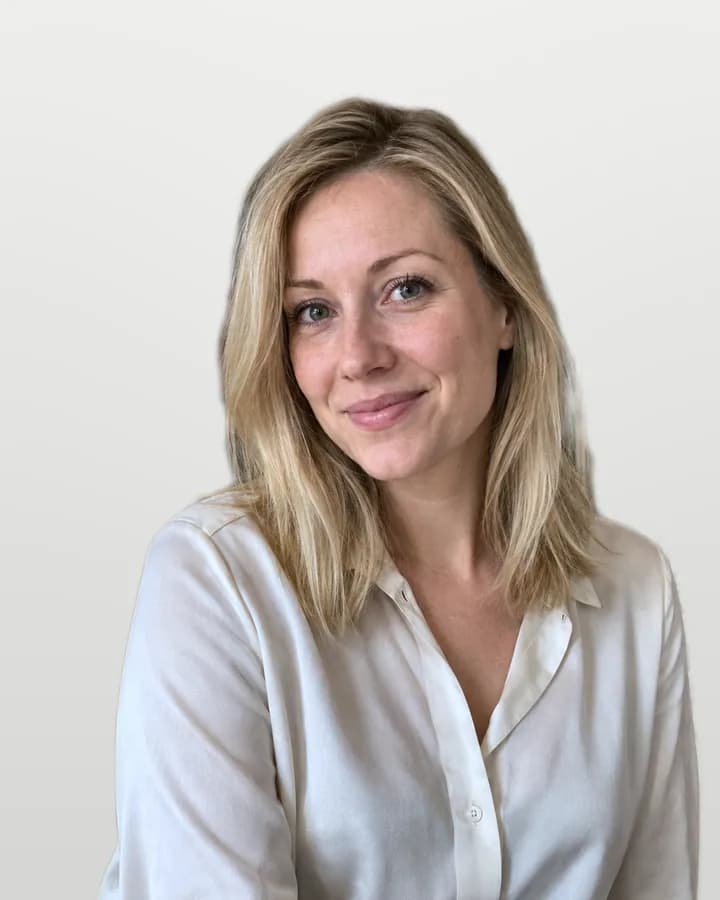
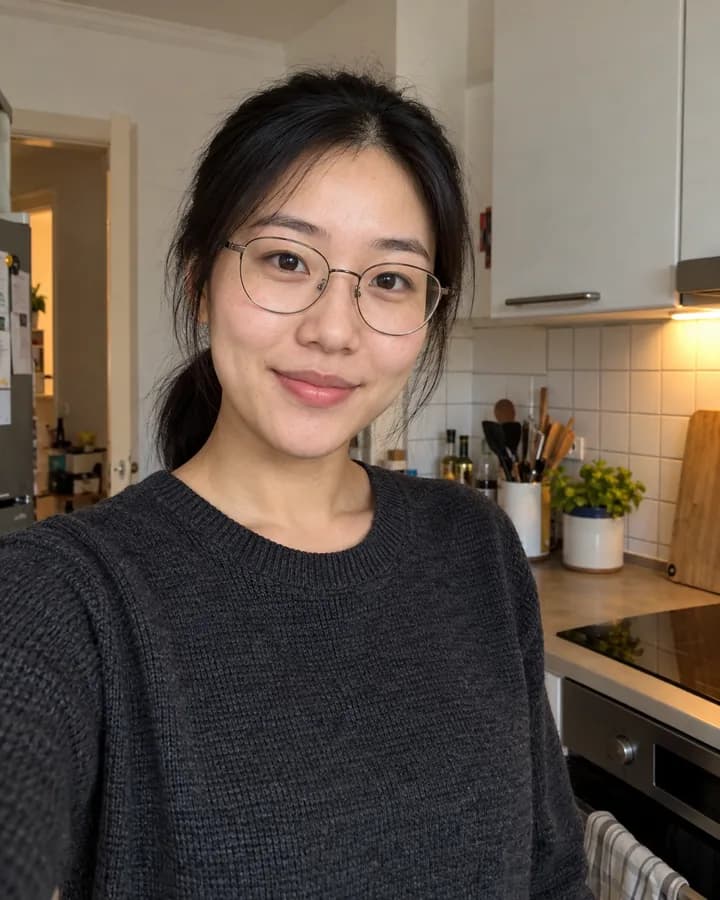

Fictional people. Every “after” image is real output of the same image processing you use here.
Which background looks most professional?
Calm tones with a slight gradient work best: they don’t distract and give the picture depth. Choose one that contrasts with your clothes and hair. Pure white looks more like an ID photo.
Light grey

Studio grey

Blue grey

Beige

White
What you get
Two JPG files without watermark, in your browser right after paying and by email.
Portrait 4:5 · 1200 × 1500 px
For the CV in Word, Canva, Europass or a PDF. Sharp enough to print at the usual CV size.
Square 1:1 · 1200 × 1200 px
For LinkedIn, InfoJobs and other job portals. LinkedIn shows it in a circle, so your face stays centred.
14-day guarantee
Full refund within 14 days if you don’t like the result, no reason needed.
Taking a CV photo yourself: light, clothes and pose
Light
- Soft daylight from the front: face a window
- No direct sun, no flash, no ceiling light from above
- A light surface below your face softens shadows
Clothes
- Banking, law, consulting: jacket or blazer
- Creative and tech jobs: a good jumper or shirt
- Plain mid tones; no fine stripes or big logos
Pose
- Natural smile; closed mouth is fine
- Shoulders slightly angled, head straight, eyes on the lens
- Camera at eye level, about 1.5 m away, never from below
How to put the photo on your CV
Use the 4:5 file. In Word or Google Docs, insert it as an image and place it top right or top left next to your name and contact details; on the page it usually takes about 3 × 4 cm.
In Canva or any CV template with a photo, replace the template’s photo with yours and keep the frame’s proportions so it isn’t stretched. In the Europass CV editor you can upload it in the personal information section.
Use the square file for LinkedIn and job portals that ask for a profile picture.
Should a CV have a photo?
In Spain no law requires a photo on the CV. It is common, especially for jobs dealing with the public, and many templates have space for one.
Some companies ask for a CV without a photo (currículum sin foto, or “blind” CV) to avoid bias in selection. If the job advert says so, send it without one. Applying to the UK or the US, leave it out too: a photo is unusual there.
If you include one, it should be recent and look like you on the day of the interview, not a holiday photo cropped from a group.
Frequently asked questions
Must a CV have a photo?
No. In Spain it is optional, though common. If the job advert asks for a CV without a photo, send it without one. In UK and US applications it is better to leave it out.
What size is a CV photo?
On the page it usually takes about 3 × 4 cm, in portrait format. Our 4:5 file is 1200 × 1500 pixels, sharp enough for that and for printing. For LinkedIn use the 1:1 square.
Can I use my DNI photo on my CV?
You can, but it looks stiff: the DNI photo asks for a neutral expression and a white background. A CV photo can show a natural smile and a softer background.
What should a woman wear for a CV photo?
The same as anyone: what you would wear to the interview in that sector. Plain mid tones, a neckline that doesn’t distract, simple jewellery and hair as you usually wear it. Avoid strong make-up or beauty filters.
Can I take my CV photo with my phone?
Yes. Use the main camera (not the front one at arm’s length), face a window and ask someone to take it from about 1.5 m at eye level, or use the timer. Our phone photo guide explains light and distance step by step.
Will my face be changed?
No. We replace the background, crop the photo and slightly balance light and colour. Features, shape and proportions stay the same; it is not an AI-generated image.
How much does it cost?
€7.99, a one-time payment for both files. You see the watermarked preview first and only pay if you like it.
What if I don’t like the result?
If you don’t like your CV photo, we refund 100% of the price. Email us within 14 days of purchase with your order number; no reason needed. Write to support@approvavisa.com.
Other photos you may need
Spanish DNI photo
26 × 32 mm, white background, checked.
Passport photo
Spanish passport and other countries.
Take the photo with your phone
Light, background and distance, step by step.