
India e-Visa photo: square JPEG with a white background
Travelling to India with a Spanish passport? The e-Visa is applied for online and the photo is uploaded as a square JPEG. Upload yours and see it checked against the Indian government’s rules right away, before you pay.
Sample photo · AI-generated portrait.
Upload a photo or take one with the camera: we'll show you right away how it looks.
or drag it here · paste it with Ctrl+V · JPG, PNG, WebP or HEIC, up to 15 MB.
- Document
- Visa · India
- Size
- 35 × 35 mm
- Background
- Off-white
- Resolution
- 300 dpi
Source: indianvisaonline.gov.in · checked on 7 Oct 2026
The crop happens in your browser. To show you the fixed photo, we send it encrypted to our photo analysis service.
Two ways to get your photo
Crop and print
Free
A JPG photo at the exact size and a 10 × 15 cm sheet to print. The crop happens in your browser, no sign-up.
Checked photo
from€7.99
We check framing, head size, background, lighting and sharpness, and you see a watermarked preview before you pay.
- Photo without watermark at the document's size
- Print sheet in 10 × 15 cm, 13 × 18 cm or A4
- Download available for 24 hours
- Copy by email
- Full refund if the office rejects it for not meeting the requirements
Premium · €10.99: plus a person reviews your photo within 3 hours, a printable check certificate, 7 days of downloads and priority support.
Create a checked photoYou see the result before you pay. You only pay if you want to download it.
- Secure payment with Dodo Payments. One payment, no subscription.
- Full refund if the office rejects the photo. See terms
- Questions before or after paying: support@approvavisa.com
Paso 1: Upload your photoFrom your phone or computer, glasses off.
Paso 2: See it checkedSquare crop, white background, framing and lighting.
Paso 3: Download the fileReady to upload to the e-Visa form, from €7.99.
India e-Visa photo requirements
What the Government of India’s e-Visa site asks for, checked on 7 Oct 2026.
- Square: the height and width must be equal.
- Full face, front view, eyes open.
- No glasses.
- Head centred, the whole head from the top of the hair to the bottom of the chin.
- Plain light-coloured or white background.
- No shadows on the face or the background, and no borders.
The e-Visa photo file
The form checks the file before it accepts it:
- Format
- JPEG
- Shape
- Square
- File size
- 10 KB to 1 MB
- Passport page
- PDF, 10–300 KB
The passport page is a separate upload: a scan of the page with your photo and details. Source: Indian Visa Online, e-Visa.
Source: Government of India, e-Visa
Who needs this photo
Spain is on the e-Visa list.
Spanish passport holders can apply for India’s e-Visa (tourist, business, medical and other types) online, without going to an embassy. The photo is uploaded during the application.
Residents of Spain with another nationality can use it too if their country is on the e-Visa list. Check the list on the official site before you apply.
A regular paper visa uses a different form. If you also need printed photos, the print template lays them out on a 10 × 15 cm sheet.
Why get it checked
A rejected photo delays the e-Visa.
The form refuses files that aren’t square or are too big. If an officer later finds the photo unclear, with shadows or with glasses, the application can be sent back for a new one.
The checked photo reviews framing, head size, background, lighting and sharpness with the e-Visa rules and, when needed, makes the background white. You see the watermarked result before you pay; then you download it without the watermark, from €7.99.
If the photo is rejected for not meeting the requirements, we refund you: refund policy.
Before and after · Checked photo
Your photo from home, with a proper ID photo finish
We give your photo a white background, adjust the framing and check your document's requirements. All you have to do is upload it.
- Even white background
- Framing and size matched to your document
- Background, lighting and sharpness checked
€7.99 · You see the result before you pay.
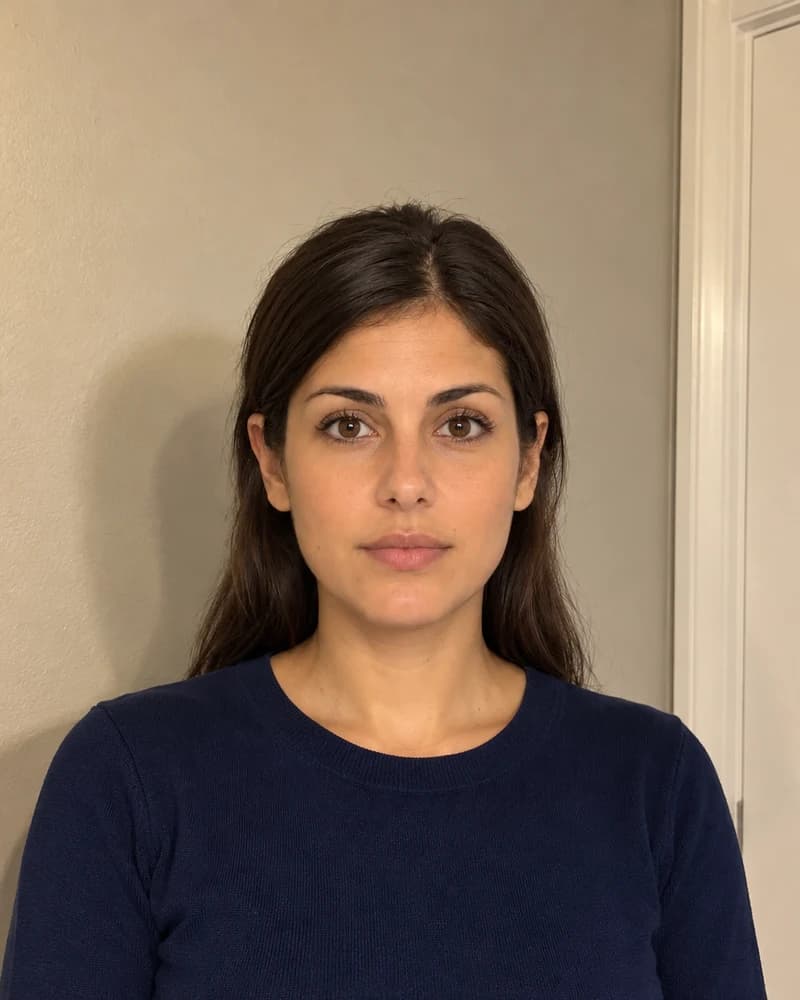
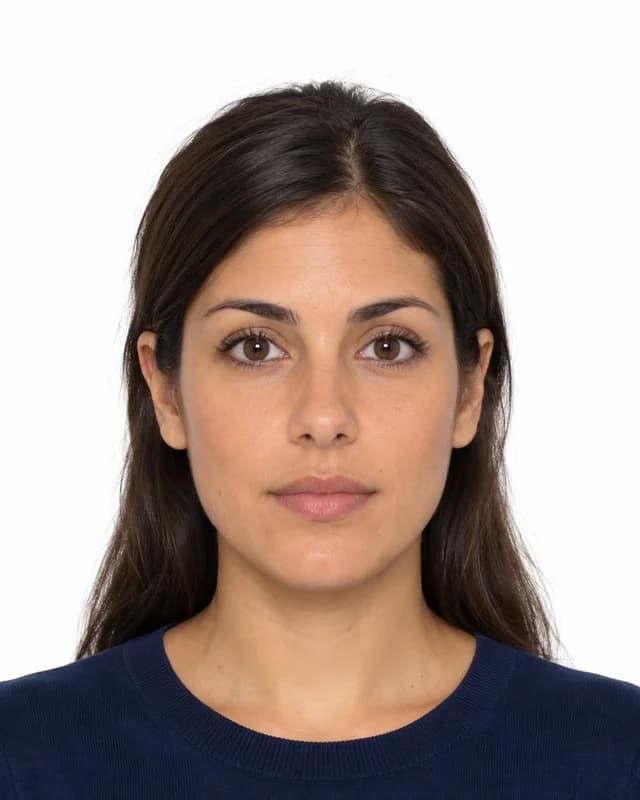
Illustrative example of the finish with AI-generated portraits.
What you download
413 × 413 px · 300 dpiTo upload online or take to print.
PNG · 300 dpi · also 13 × 18 and A4With thin cutting lines.
How to print it
At home or in a photo shop, on 10 × 15 cm paper, at 100% or “actual size”. Each copy measures 35 × 35 mm: check it with a ruler before cutting.
Sample photos · AI-generated portraits.
Frequently asked questions
What size is the India e-Visa photo?
The site asks for a square JPEG between 10 KB and 1 MB, without a fixed pixel size. The file you download is 600 × 600 px, inside those limits.
Can I wear glasses in the India visa photo?
No. The e-Visa rules ask for a full face with eyes open and without spectacles.
What background does the India visa photo need?
Plain light-coloured or white, with no shadows and no border. A white background is the safest choice.
Is it the same as a 35 × 45 mm passport photo?
No. The e-Visa photo is square (35 × 35 mm when printed), while most passports and visas use 35 × 45 mm. Choose the India visa in the tool so it’s cropped square.
Can I make it for free?
Yes: cropping it square is free and doesn’t change the background or check the photo. The checked photo costs from €7.99 and you only pay if you like the result.
You may also find useful
US visa photo
DS-160 file and 2 × 2 inch print.
China visa photo
33 × 48 mm and the online form file.
OCI card photo
Square JPEG up to 200 KB.
Take it with your phone
Light, background and distance, step by step.
Resize a photo to passport sizeFree
Crop to any document size in your browser.